
type
Post
status
Published
date
Mar 10, 2026
slug
summary
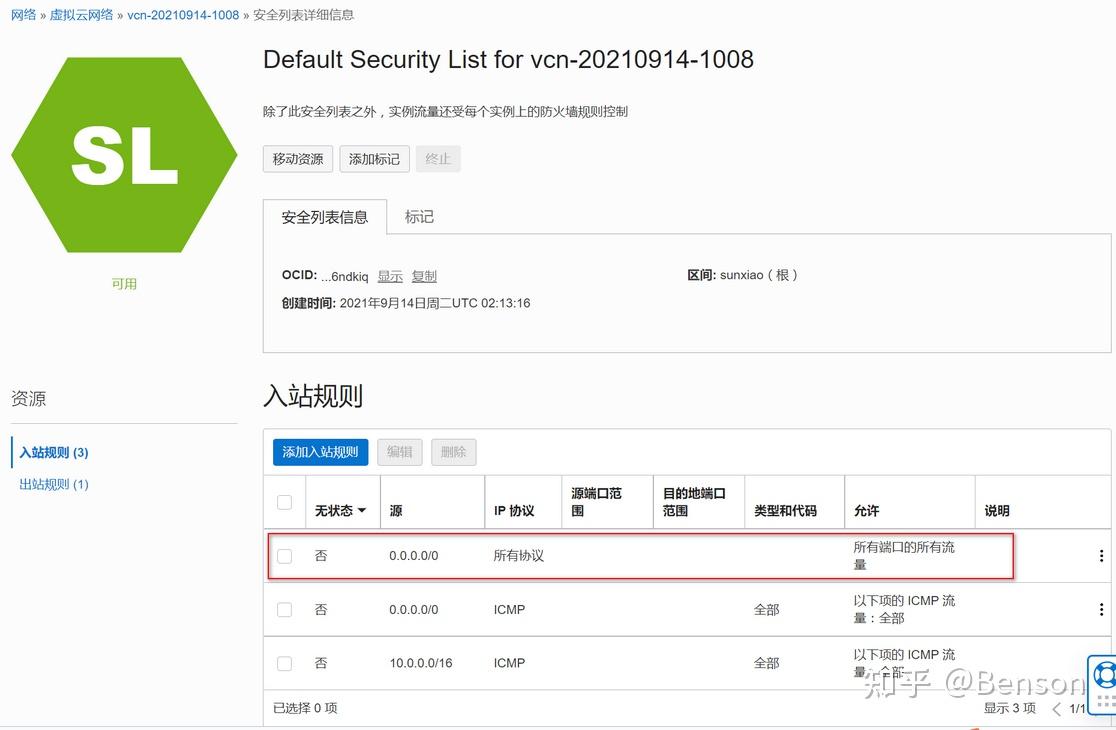
开放所有端口,当然也可以设置需要开放的端口,这里是所有开放
tags
甲骨文
VPS
category
部署教程
icon
password
网址
一、进入自己的实例,设置子网
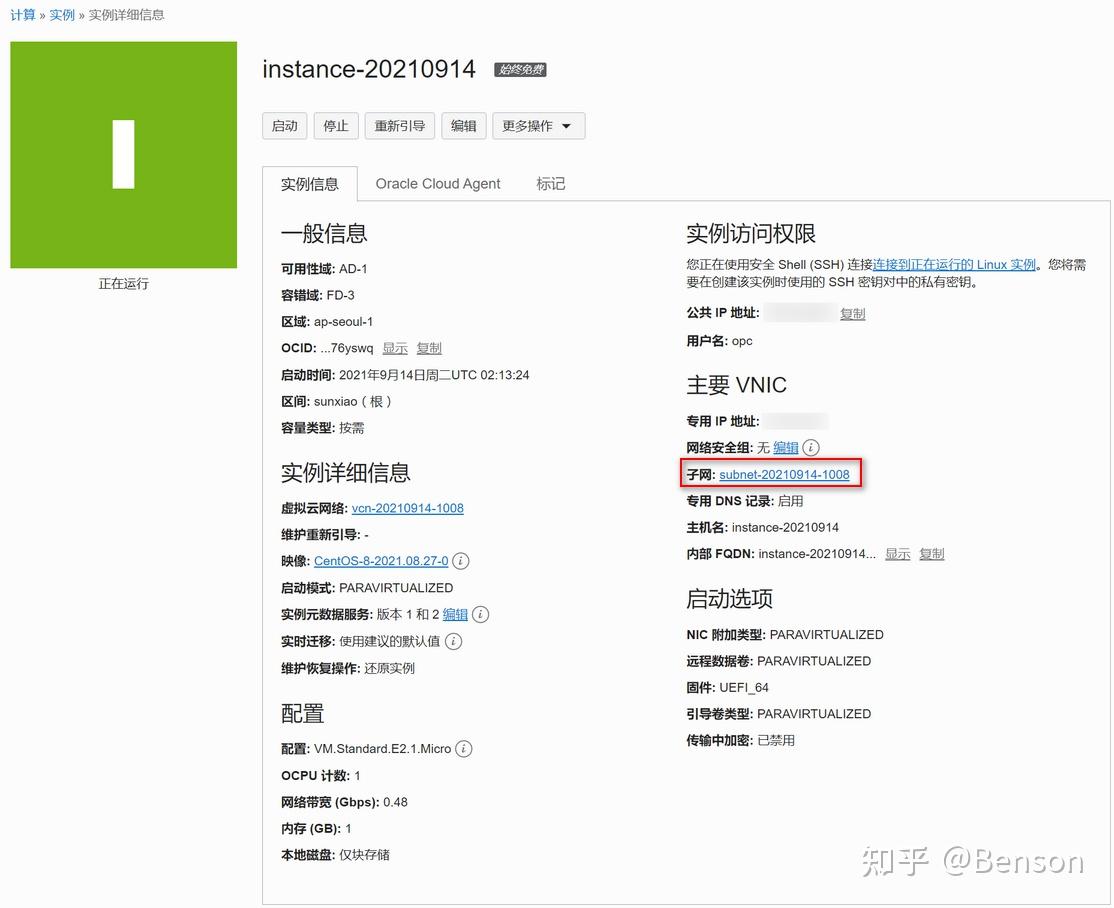
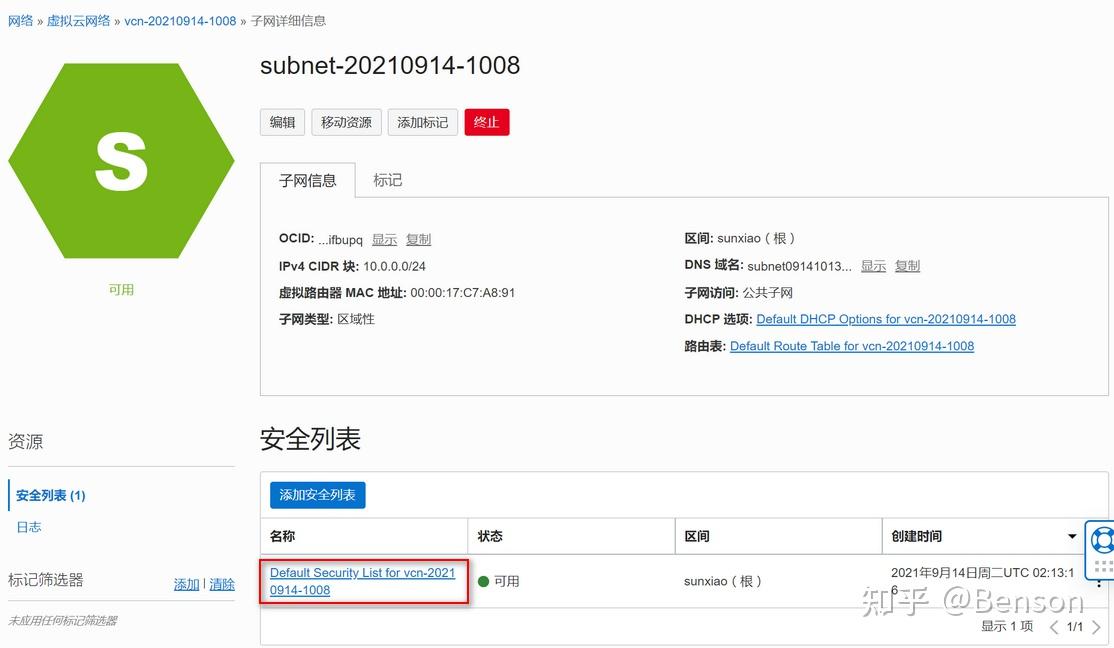
开放所有端口,当然也可以设置需要开放的端口,这里是所有开放
二、删除、关闭、打开各自系统的无用附件、防火墙、端口及规则
Ubuntu系统下:
开放所有端口
iptables -P INPUT ACCEPT
iptables -P FORWARD ACCEPT
iptables -P OUTPUT ACCEPT
iptables -F

Ubuntu镜像默认设置了Iptable规则,关闭它
apt-get purge
netfilter-persistent
reboot
或者强制删除
rm -rf /etc/iptables && reboot
Centos系统下:
删除多余附件
systemctl stop oracle-cloud-agent
systemctl disable oracle-cloud-agent
systemctl stop oracle-cloud-agent-updater
systemctl disable oracle-cloud-agent-updater

停止firewall
systemctl stop firewalld.service
禁止firewall开机启动
systemctl disable firewalld.service- Author:TRNote
- URL:https://nt.665669.xyz/article/31fe5652-136c-80f1-8067-e4f8ba6edeb8
- Copyright:All articles in this blog, except for special statements, adopt BY-NC-SA agreement. Please indicate the source!


